

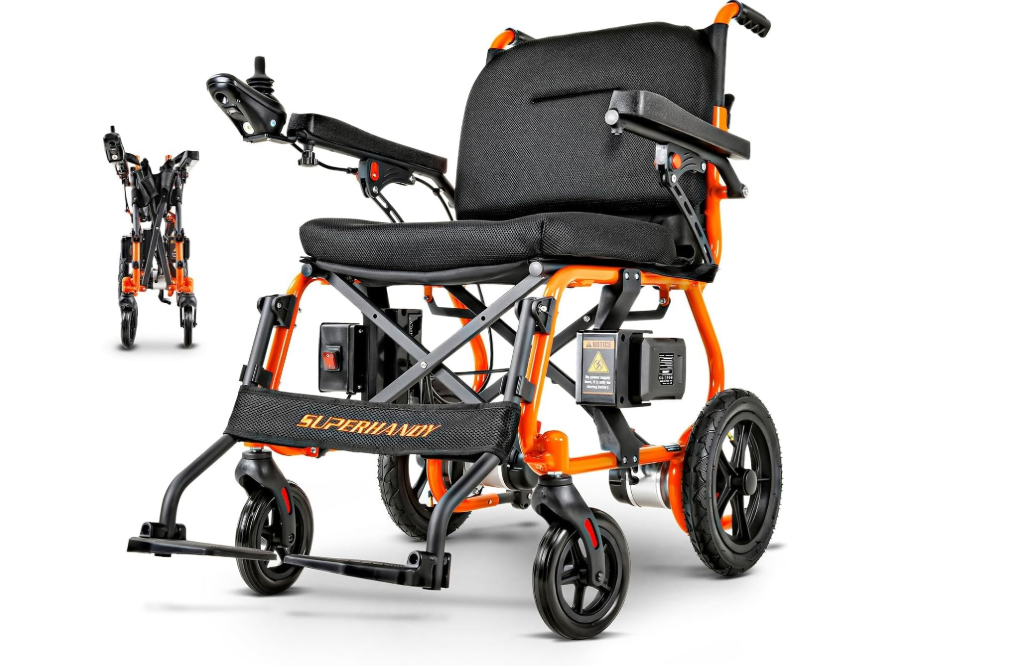
You know it is very annoying when your wheelchair breaks. More than half of wheelchair users need repairs every year. Most repairs are for electronics or tires. Wheelchair Troubleshooting begins with checking safety and connections. If you are not sure, remember some problems need a professional’s help.
Key Takeaways
Safety comes first when you fix your wheelchair. Put on the brakes, fasten seatbelts, and make sure your area is clean. This helps stop accidents.
Check your wheelchair often for problems. Look at tires, brakes, and electrical parts every week. This helps you find issues early and saves money.
Ask for help from a professional when needed. If you see big problems like a bent frame or hear beeping that won’t stop, call a technician for help.
Wheelchair Troubleshooting Basics
Safety First
You must stay safe before fixing your wheelchair. Always put on the brakes so your chair does not move. If your chair has a seatbelt, buckle it before you start. Make sure nothing is blocking your way. This helps you avoid getting hurt. Check your brakes every week to see if they work. Look at the wheels and tires to see if they are okay. Make sure the tires have enough air. Try all the electrical parts, like lights and controls, to see if they work. If you see cracks or damage on the frame, do not use the chair. Wait until someone checks it.
Tip: Checking your wheelchair often can stop bigger problems later.
Gather Tools
Get your tools ready before you start. You will need:
Wrenches
Allen keys
Screwdrivers
Having these tools close by helps you fix things faster. Keep your user manual or a guide nearby for help.
Common Issues and Solutions

Power and Battery Problems
Power and battery problems happen a lot in power wheelchairs. You can fix many of these at home by following some easy steps:
See if the circuit breaker is off. If it is, press the reset button.
Use the right charger. Plug it in all the way. Make sure the charger light comes on.
Charge the batteries every night for 1h30min to 2 hours. Try not to let the battery go below half.
Keep your wheelchair in a dry place. Do not let it get wet or too hot or cold.
Clean the battery ends if you see white or green stuff.
If the joystick does not work or the wheelchair moves oddly, look at all wires and connectors for loose spots or rust.
Tip: If your wheelchair does not go as far on a full charge, you might need new batteries.
Mechanical Issues
Mechanical problems can happen with both manual and power wheelchairs. Checking your wheelchair often helps stop big problems. Here is what you should do:
Clean your wheelchair every two or three weeks. Wipe the frame and wheels.
Look for cracks, dents, or loose parts.
Tighten bolts and screws on the seat, wheels, and casters. Listen for strange sounds like clicks or squeaks.
Check the tires for damage. Change them if they look worn out. Add air if needed.
Look at the seat and back support. Make sure they are safe and feel good.
Do not put too much weight on your wheelchair. Too much weight can break the motor or frame.
Watch for signs like pain, bad sitting, or hard moving. These can mean something is wrong.
Note: If you skip regular checks, your wheelchair might break down and cost more to fix.
Beep Codes and What They Mean
Many power wheelchairs, like the SuperHandy GoRide 2, use beep codes to show problems. Each beep pattern means something different. Use this table to help you know what the beeps mean:
Beep Pattern |
What It Means |
What To Do |
|---|---|---|
Continuous Beeping |
Programming error or loose connection |
Check all connections, reset controller Press and hold both the Speed Decrease and Speed Increase buttons for 3 seconds after turning on the wheelchair. |
1 Long Beep |
Motor communication error |
Reset program, check motor/controller wires |
1 Long + 1 Short Beep |
Joystick input sampling error |
Reset, check motor/controller connections |
1 Long + 2 Short Beeps |
Hall-effect sensor failure |
Replace motor |
1 Long + 3 Short Beeps |
Low battery voltage |
Check battery, charge if needed |
1 Long + 4 Short Beeps |
Joystick communication failure |
Reset, check joystick/controller connections |
1 Long + 5 Short Beeps |
Electromagnetic brake failure |
Ensure brake is in driving mode, check motor |
If you hear a beep code, look at the table above. Do the steps to fix the problem.
Tip: Always check your user manual for beep code details for your wheelchair.
Controller Reset Steps
Resetting the controller can fix many Wheelchair Troubleshooting problems. Here is how to reset most controllers, like the SuperHandy GoRide 2:
Turn off the wheelchair and wait for 10 to 15 seconds.
Make sure the battery is fully connected and charged.
Look at all cables and connectors. Unplug and plug them back in to make sure they fit well.
Turn the wheelchair on again.
For the SuperHandy GoRide 2, press and hold both the Speed Decrease and Speed Increase buttons together for 3 seconds.
Watch the controller. If the beeping stops, the reset worked. If not, you may need a new controller or need to call a technician.
Note: Always check that all cables are tight before you reset the controller.
When to Seek Help
Some problems need a professional to fix. Call a technician if you see:
The frame is bent, cracked, or broken.
Brakes do not work, or wheels, axles, or bearings are broken.
You hear grinding, clicking, or squeaking that does not stop after cleaning or tightening.
The back wheels shake a lot.
The battery, joystick, motor, or electrical system does not work after you try Wheelchair Troubleshooting steps.
Speak clearly and describe the sounds or problems you see. If you can, show the technician the part that is not working.
Remember: Your safety is most important. If you do not feel sure, do not try to fix it yourself.
You need to follow each troubleshooting step and stay safe. Doing regular maintenance stops big repairs and keeps your wheelchair working well:
Stops your wheelchair from breaking down suddenly and helps it last longer
Helps you find problems early so you can fix them fast
Lets you stay independent
"If your chair has a problem, you can tell the technician the error message. This helps them fix it faster."
Look at your manual and call a professional if the problem does not go away. Knowing beep codes and checking your wheelchair often saves you time and worry.
FAQ
What should you do if your wheelchair keeps beeping?
Check all connections. Unplug and re-plug cables. Reset the controller. If beeping continues, contact a technician.
Tip: Always check your user manual for beep code meanings.
How often should you check your wheelchair for problems?
Inspect your wheelchair every week. Look at tires, brakes, and connections. Regular checks help you catch issues early.
Can you fix a loose joystick at home?
You can tighten screws and check connections. If the joystick still does not work, call a technician for help.
